打开设置文件
路径:File > Perferences > keyboard shortcuts
或者快捷键 Ctrl+K Ctrl+S 搜索自己希望设置的功能,比如新建文件:explorer.new.* 设置好对应的快捷键后点击 vscode 左上角的第一个按钮
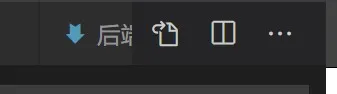
显示如下设置:
// Place your key bindings in this file to override the defaultsauto[]
[
  {
    "key": "alt+n f",
    "command": "explorer.newFile",
    "when": "explorerResourceIsFolder"
  },
  {
    "key": "alt+f",
    "command": "explorer.newFolder",
    "when": "explorerResourceIsFolder"
  }
]
自行添加 when 对应的状态,设置快捷键触发的情况,具体的参数在官方文档可以查询,外国网站访问过慢,可以参考 csdn 的一篇文章